
The Channel-Specific Decay Patterns Hidden in Lead Lists
Lead data doesn’t decay evenly across channels. Learn how email, LinkedIn, and phone records break down differently over time — and how hidden decay patterns inside lead lists quietly sabotage outbound performance.
INDUSTRY INSIGHTSLEAD QUALITY & DATA ACCURACYOUTBOUND STRATEGYB2B DATA STRATEGY
CapLeads Team
12/17/20253 min read
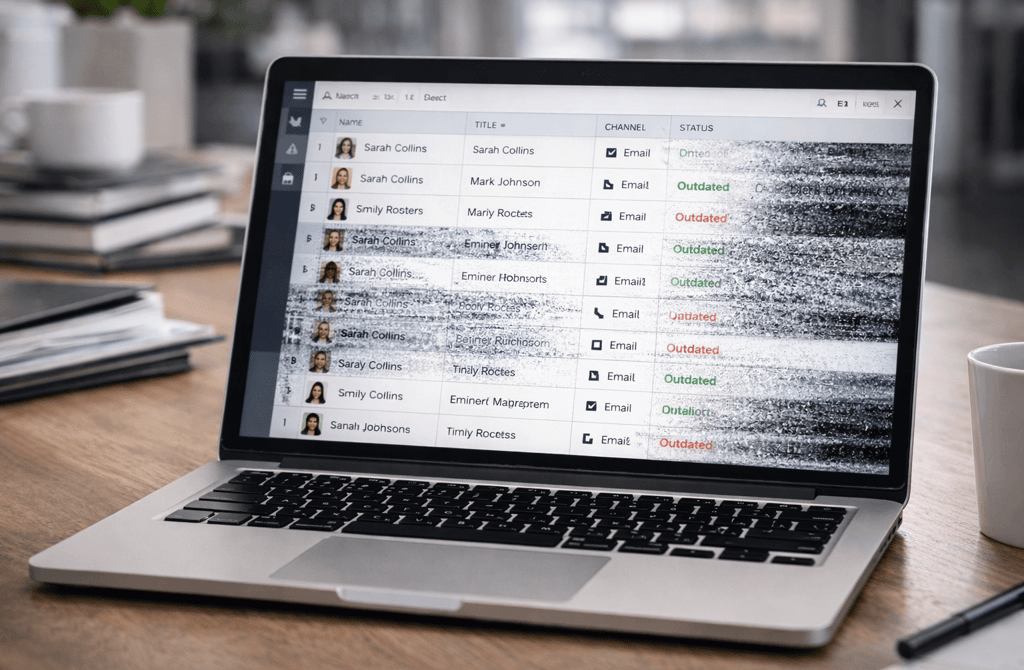
Most teams think lead data “goes bad” in one uniform way. It doesn’t.
Lead lists decay unevenly, and the damage shows up differently depending on the outbound channel you use. Email, LinkedIn, and phone don’t rely on the same fields, don’t tolerate the same errors, and don’t fail on the same timeline.
This is why a lead list can feel usable in one channel while quietly sabotaging another. The decay is already there — it’s just channel-specific and hidden.
1. Data Does Not Decay at the Same Speed Across Channels
Every outbound channel stresses different parts of a lead record.
Email is sensitive to address validity, domain health, and recency
LinkedIn depends more on role accuracy and profile freshness
Phone relies heavily on geographic accuracy, routing, and role stability
As time passes, these fields degrade at different rates. A title might still look correct on LinkedIn while the email address tied to that same contact has already expired or become risky. A phone number might still connect somewhere while the role behind it has completely changed.
The list hasn’t “gone bad.”
It has fragmented by channel.
2. Email Decay Is Usually the First to Surface
Email exposes decay early because inbox providers react automatically to bad inputs.
Even small pockets of decay create:
Bounce clusters
Suppression signals
Inbox placement drops
This happens long before teams notice visible issues in other channels. LinkedIn messages still send. Phone calls still ring. Email fails — and it does so loudly.
That early failure often gets misdiagnosed as a deliverability or copy problem, when it’s actually the first visible symptom of deeper list decay.
3. LinkedIn Masks Decay Longer Than Teams Expect
LinkedIn data decays differently.
Profiles update sporadically. Titles lag behind real responsibilities. Department changes don’t always show up. Yet messages still get delivered.
This creates a dangerous illusion:
teams believe their lead list is still “fresh” because LinkedIn outreach hasn’t collapsed.
In reality, LinkedIn is simply more tolerant of inaccurate fields. The decay exists — it’s just not blocking delivery yet.
When teams later reuse the same list for email or phone, the hidden decay suddenly becomes obvious.
4. Phone Decay Is the Most Expensive When It Hits
Phone outreach often breaks last, but it’s the most painful when it does.
Phone-specific decay shows up as:
Wrong departments
Reassigned numbers
Regional mismatches
Reception or dead-end routing
Unlike email, these failures consume real time and human effort. Every bad record costs minutes, not milliseconds. By the time phone decay becomes obvious, the list has usually been outdated for longer than anyone realized.
5. Lead Lists Don’t “Expire” — They Lose Signal Selectively
A common mistake is treating lead lists as either usable or unusable.
In reality, lead lists behave more like multi-channel systems with partial signal loss:
Some fields remain intact
Others degrade quietly
Different channels reveal different failures
This is why teams feel confused when performance drops unevenly across channels. The list isn’t broken everywhere — it’s broken in specific ways.
Without channel-aware validation, teams keep reusing decayed fields in the wrong contexts.
6. Channel-Specific Decay Is Why Revalidation Matters
One-time validation doesn’t solve this problem.
Effective outbound systems account for:
Which fields matter for which channel
How fast those fields decay
When revalidation needs to happen based on channel usage
This is also why industry-specific data behaves differently. High-turnover sectors decay faster in email and phone. Regulated industries decay slower in some fields but faster in others.
Ignoring these patterns leads to predictable failure.
Final Thought
Lead data doesn’t decay evenly — it degrades by channel, by field, and by time. Email exposes the damage first, LinkedIn hides it longest, and phone makes it most expensive when it finally breaks.
Outbound becomes predictable when lead lists are treated as living systems, not static files. When channel-specific decay is ignored, teams blame tools, copy, and channels for problems that were already baked into the data.
Clean, current data doesn’t just improve performance — it prevents entire channels from quietly failing before you notice.
Related Posts
Why Multi-Signal Data Outperforms Basic Email Lists
The Micro-Data Points That Predict Reply Probability
Why Data Completeness Makes Outbound Easier to Scale
How Company Lifecycle Stage Impacts Deliverability
The Common Data Gaps That Break Founder-Led Outreach
The Hidden Indicators That Tell You a Lead Is Worth Emailing
Why Mapping the Buying Committee Boosts Reply Rates
Why AI Needs Clean Inputs to Improve Lead Accuracy
The Hidden AI Errors Caused by Dirty Data
How AI Enhances Lead Processing Without Replacing Humans
Why AI Models Break When Metadata Is Incomplete
Why Each Industry Produces Completely Different Lead Data
The Vertical Data Behaviors Most Outbound Teams Miss
How B2B Data Signals Change Depending on the Industry
Why Industry Structure Shapes Lead Accuracy Patterns
The Vertical Differences That Influence Data Freshness
Why Lead Data Behaves Differently Across Outbound Channels
The Contact Signals That Matter in Email But Not on LinkedIn
How Phone Outreach Requires Completely Different Data Accuracy
Why Email Fails First When Data Quality Declines
Connect
Get verified leads that drive real results for your business today.
www.capleads.org
© 2025. All rights reserved.
Serving clients worldwide.
CapLeads provides verified B2B datasets with accurate contacts and direct phone numbers. Our data helps startups and sales teams reach C-level executives in FinTech, SaaS, Consulting, and other industries.